Free Excel Course with Certificate
Excel for Beginners
 4.48
Beginner level
6.75 learning hrs
4.48
Beginner level
6.75 learning hrs
Learn essential data analytics concepts, including data visualization, data wrangling, and more. Enroll in this free online Excel course and create impactful graphs and presentations using key Excel functions and formulas.
Instructor:
Mr. Aniruddha Kalbande




About this course
This free online Excel course will equip you with the essential skills to manage and analyze your data effectively. You’ll master key Excel functions, including cell referencing, table creation, basic formulas, and sorting and filtering techniques, giving you the ability to handle data tasks more efficiently.
You’ll also learn to work with date and time functions, as well as if-else conditions, to manipulate and analyze data. With step-by-step guidance and practical examples, you'll gain confidence in applying these skills in real-world scenarios, boosting productivity in your everyday work tasks. By the end of the course, you’ll have a strong foundation in Excel and know precisely how to apply these skills to improve your work efficiency.
Course outline
Excel Interface Fundamentals: Ribbon, Quick Access Toolbar, and Workbook Structure
Navigate the Excel ecosystem including the Ribbon, Formula Bar, and Status Bar. Customize the Quick Access Toolbar (QAT) for efficiency and manage Workbooks (.xlsx) and Worksheets for data storage.
Cell Referencing Types: Relative, Absolute, and Mixed References
Master data wrangling by controlling cell behavior. Apply Relative references for pattern filling, Absolute references(locking cells with $ or F4 key) for constants, and Mixed references for matrix calculations.
Excel Table Management: Structured References, Total Rows, and Cell Formatting
Convert ranges to dynamic Excel Tables (Ctrl+T) to enable automatic expansion and Structured References. Apply Borders, Banded Rows, and Cell Stylesto enhance data readability and visualization.
Mathematical Operations: SUM, PRODUCT, and BODMAS/PEMDAS Order of Operations
Execute arithmetic operations including Addition (+), Power (^), and SQRT. Construct precise formulas using the Formula Bar and apply the PEMDAS/BODMAS (Order of Operations) rule to prevent calculation errors.
Advanced Data Sorting: Multi-Level Sorts and Custom Lists
Organize datasets using Single-Level and Multi-Level sorting. Sort data by Cell Value, Cell Color, or Conditional Formatting icons. Create Custom Liststo sort non-alphabetical data (e.g., High, Medium, Low).
Data Filtering Techniques: Text, Number, and Date Filters
Isolate data subsets using AutoFilter (Ctrl+Shift+L). Apply specific criteria including Text Filters (Contains, Begins With), Number Filters (Top 10, Above Average), and Date Filters (Year/Month) for granular analysis.
Date & Time Functions: TODAY, NOW, DATEDIF, and Serial Number Formatting
Manipulate temporal data stored as Serial Numbers. Calculate durations using DATEDIF, insert dynamic timestamps with TODAY() and NOW(), and apply custom Date Formatting (dd-mm-yyyy).
Logical Functions: IF, NESTED IF, and Boolean Logic (AND/OR)
Automate decision-making using the IF function to output values based on TRUE/FALSE results. Implement Nested IFs for multiple conditions and integrate AND/OR logic for complex criteria.
Descriptive Statistics: AVERAGE, MEDIAN, MODE, and Range Calculations
Perform descriptive analytics to summarize central tendency using AVERAGE (Mean), MEDIAN, and MODE. Analyze data spread and outliers using MIN, MAX, and COUNTAfunctions.
AI in Excel: Generating Formulas and Debugging with ChatGPT
Leverage Generative AI to write complex syntax and debug errors (#N/A, #VALUE!). Use natural language prompts to generate Macros, explain logic, and automate data cleaning workflows.
Get access to the complete curriculum once you enroll in the course
 4.48
4.48
Level up with advanced skills & become job ready with Pro+
Subscribe to Pro+ today to build skills with 50+ Pro courses and prep for jobs with advanced AI tools.
 PRO
PRO



Practice exercises
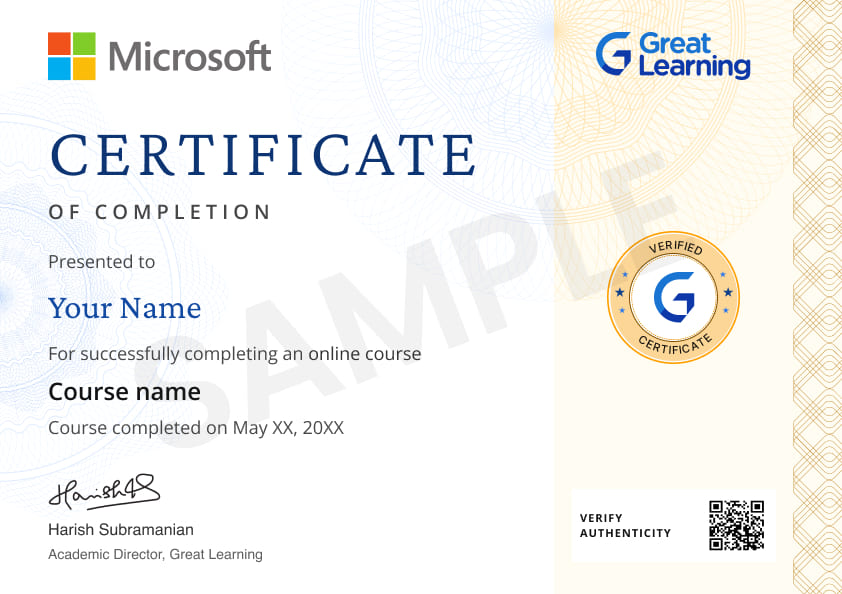
Certificate from Microsoft
AI Resume Builder
AI mock interviews







 Nigeria
 Nigeria

 South Africa


 India
India


 India
India
 India
India
What our learners enjoyed the most
Skill & tools
66% of learners found all the desired skills & tools
Our course instructor

Mr. Aniruddha Kalbande
AI & Data Science Educator
IT & Software Expert


Frequently Asked Questions
Will I receive a certificate upon completing this free course?
Is this course free?
What is Microsoft Excel and what are its primary uses?
Excel is a spreadsheet program used for data organization, analysis, and visualization. It's commonly used for tasks like budgeting, creating charts, and performing calculations.
What will I learn in this Excel for Beginners course?
You learn how to work with spreadsheets for everyday data tasks. You cover cell referencing, creating tables, basic formulas, sorting, filtering, date and time functions, IF conditions, and descriptive analysis functions like AVERAGE, MAX, MIN, and MEDIAN. You also learn to create graphs and presentations using Excel functions and formulas.
How do I reference cells in Excel?
Cells are referenced by their column letter and row number, e.g., A1, B2. You can reference them directly in formulas to perform calculations or analyze data.
What is the course duration and learning format?
This free online Excel course is 7.5 learning hours long and designed for beginners. The lessons are self-paced, which supports learners who want to learn Excel online free based on personal schedules.
What are tables and borders in Excel, and how do I use them?
Tables organize data in rows and columns with added functionality like sorting and filtering. Borders enhance readability by outlining cells, rows, or columns. You can create these from the 'Insert' and 'Home' tabs, respectively.
Is this free online Excel course suitable for beginners?
Yes, This free online Excel course is built for beginners with no prior Excel experience. The lessons progress step by step and focus on practical understanding rather than theory.
What are some basic functions and formulas in Excel?
Basic functions include SUM, AVERAGE, MIN, and MAX. Formulas are expressions like "=A1+A2" that perform calculations or operations on your data.
What skills will I gain from this free Excel course?
You will gain the following skills in this free Microsoft Excel course:
- Cell Referencing
- Tables and Borders in Excel
- Date and Time in Excel
- Sorting and Filtering
- If-Else condition
- General functions in Descriptive Analysis
Is the Excel for Beginners course a certification course?
How can I sort data in Excel?
You can sort data alphabetically, numerically, or by custom rules using the 'Sort' feature, found in the 'Data' tab or as an option in tables.
How does filtering work in Excel?
Filtering allows you to display only the rows that meet certain criteria. You can apply filters via the 'Data' tab or by using the dropdown arrows in table headers.
Who should take this free online Excel course?
This course suits students, job seekers, working professionals, and anyone who wants to learn Excel online free for office work, reporting, or basic data tasks.
How do I use date and time functions in Excel?
Excel offers functions like TODAY(), NOW(), DATE(), and TIME() to handle dates and times. You can perform calculations or format these values for analysis.
How do I use If-Else conditions in Excel?
The IF function allows you to perform conditional operations. Its basic structure is IF(condition, value_if_true, value_if_false).
What are some general functions for descriptive analysis in Excel?
Functions like COUNT, AVERAGE, MEDIAN, MODE, STDEV, and VARIANCE are useful for descriptive analysis, providing insights into data distribution and variability.
How does this Excel course help in daily work or career tasks?
The course helps you handle spreadsheets, organize data, apply formulas, and create charts. These skills support roles such as office executive, analyst, coordinator, and business support roles
Can I combine different functions and formulas in Excel?
Yes, you can nest functions and combine formulas to perform complex calculations and data analysis.
Is this Microsoft Excel course free and self-paced?
Yes, The course follows a self-paced format. You can start anytime and move through the lessons at your own pace, which suits learners looking for a flexible, free online Excel course.
Is this excel course completely free, or are there any hidden fees?
This course is 100% free with no hidden charges. You can access all the course content without any cost.
What are the prerequisites or requirements to enroll in this free excel course?
No prior experience is required. Basic computer knowledge is enough. The free Excel course teaches every concept from scratch.
How long does it take to complete this free course?
The course duration varies, but it is self-paced, allowing you to learn at your own speed. Check the course details for estimated completion times.
Is there a specific schedule, or can I learn at my own pace for this free course?
You can learn at your own pace. There is no set schedule, allowing you to study when it's convenient for you.
Where can I find more free online courses?
Discover free online courses at Great Learning Academy, offering a wealth of resources in sought-after domains such as Artificial Intelligence, Machine Learning, Data Science, Cybersecurity, and beyond.
Can I sign up for multiple courses from Great Learning Academy at the same time?
Once you have enrolled in the course, you can take it anytime. The lecture sessions will be accessible to you for a lifetime.
Become a Skilled Professional with Pro Courses
Gain work-ready skills with guided projects, top faculty and AI tools, all at an affordable price.








.jpg)


.png)
.png)

.png)


.png)
.jpg)

.jpg)
.png)
.jpg)
.jpeg)







.png)
.png)
.png)
.png)
.png)
.jpg)
.jpg)
.png)


.png)
.png)




 (1).png)

.jpg)

.png)
.png)
.png)
.png)

.png)

 (1).jpg)

.png)
.png)
.png)
.png)

.png)
.png)

.png)








Recommended Free Microsoft Excel courses
 FREE
FREE
 FREE
FREE
 FREE
FREE