

Google Gemini for Powerpoint Presentation
Google Gemini for Microsoft PowerPoint
 4.52
Beginner level
2.25 learning hrs
4.52
Beginner level
2.25 learning hrs
Learn to create professional PowerPoint presentations using Google Gemini. Join our free Google Gemini for PowerPoint course to generate slides, automate tasks, and build faster, AI powered presentations.
Instructor:
Madhur Singh




About this course
This free Google Gemini for Microsoft PowerPoint course shows you how to create clear, professional, and engaging presentations using AI assistance. You will learn how Gemini helps generate slide content, organize ideas, and structure presentations based on different goals such as informative, persuasive, or instructional formats. The course guides you through creating headings, bullet points, and slide narratives more efficiently, helping you save time while improving clarity and visual flow.
By the end of the course, you will be able to use Google Gemini to streamline the entire presentation creation process, from planning to final slides. You will also gain practical exposure to automating PowerPoint tasks using VBA code generated with Gemini, allowing you to create and format slides faster and more consistently. This course equips you with the skills to design impactful presentations, automate repetitive work, and present ideas more effectively in academic, business, or professional settings.
Course outline
Introduction to Google Bard
Explore the fundamentals of Bard and its capabilities in enhancing PowerPoint presentations through AI-generated content.
Understanding types of presentations
Learn about various presentation formats, such as informative, persuasive, and instructional, and how Google Bard can tailor content for each.
Creating slides using Google Bard
Explore how to effectively generate slide content, headings, and bullet points with the help of Bard to streamline presentation creation.
Create PPT using VBA code
Dive into the realm of VBA coding to automate PowerPoint tasks, including slide creation and formatting, leveraging Bard-generated content for efficiency.
Get access to the complete curriculum once you enroll in the course
 4.52
4.52






 India
India

 Thailand
 India
India
 India
India
 India
India
 India
India
 India
India
What our learners enjoyed the most
Skill & tools
66% of learners found all the desired skills & tools
Our course instructor

Madhur Singh
Career Growth Expert
ChatGPT and Generative AI Expert


Frequently Asked Questions
Will I receive a certificate upon completing this free course?
Is this course free?
What are the prerequisites required to learn this Google Gemini for Microsoft PowerPoint Presentation free Course?
You do not need any prior knowledge to learn this Google Gemini for Microsoft PowerPoint Presentation freeCourse.
Who is this Free google gemini for powerpoint presentation course designed for?
The course can be recommended to anyone who wants to make professional PowerPoint presentations with the help of AI. This can help practitioners, educators, marketers and analysts, as well as anyone who deals with preparing structured and effective presentations.
How long does it take to complete this Free Google Bard for Microsoft PowerPoint Course?
Google Bard for Microsoft PowerPoint is a 1.0-hour long course, but it is self-paced. Once you enrol, you can take your own time to complete the course.
What will I learn in this course?
You will learn how Google Gemini can assist in:
Creating presentation content
Organizing slides
Improving clarity and flow
The course also covers different presentation types and automating slide creation using VBA with Gemini generated code.
Will I have lifetime access to the free course?
Yes, once you enrol in the course, you will have lifetime access to any of the Great Learning Academy’s free courses. You can log in and learn whenever you want to.
How does Google Gemini help in creating presentations?
Google Gemini helps in generating: Slide content Titles Bullet points based on your requirements It also supports structuring presentations logically and adapting content for different audiences and purposes.
Will I get a certificate after completing this Free Google Gemini for Microsoft PowerPoint Course?
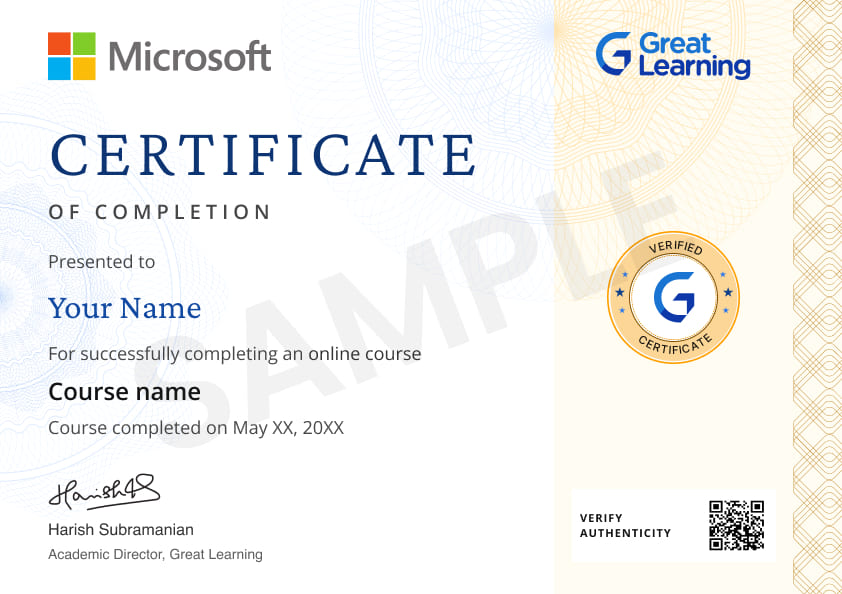
You will receive a certificate after completing all modules. A certificate is available for a nominal fee upon successful completion.
What modules are included in the free Google Gemini for PowerPoint presentation course?
The course includes:
- Introduction to Google Gemini
- Understanding types of presentations
- Creating slides using Google Gemini
- Create PPT using VBA code
What skills will I gain by completing this free Google Gemini for PowerPoint presentation course?
You will gain skills in:
AI assisted content generation
Presentation structuring
Identifying key elements of effective slides.
You will also learn how to automate PowerPoint tasks using VBA supported by Gemini.
Is there any limit on how many times I can take this free course?
No. There is no limit. Once you enrol in the Free Google Bard for Microsoft PowerPoint Course, you have lifetime access to it. So, you can log in anytime and learn it for free online.
How will this course help me in real coding tasks?
By the end of the course, you will be able to create clear, engaging, and well structured presentations faster. You will also be able to automate repetitive slide creation tasks and improve productivity using AI driven workflows.
Become a Skilled Professional with Pro Courses
Gain work-ready skills with guided projects, top faculty and AI tools, all at an affordable price.
 PRO
PRO





 (1).jpg)
.jpg)







.png)
.png)


.png)
.jpg)
.jpg)
.jpg)

.jpg)
.png)
.png)
.png)

.png)
.png)
.png)
.png)
.png)
.png)


.png)
.png)
.png)
.png)
.png)





.png)
.jpeg)
.jpg)

.png)
.png)
.png)

.png)
.png)
.png)
.jpg)



.png)

 (1).png)





Recommended Free Generative AI courses
 FREE
FREE
.jpg) FREE
FREE
 FREE
FREE
 FREE
FREE
Similar courses you might like
FREE

 FREE
FREE
 FREE
FREE
.jpg) FREE
FREE

Related ChatGPT and Generative AI Courses

-
Scholarships upto ₹25K

McCombs School of Business at The University of Texas at Austin
PG Program in Artificial Intelligence & Machine Learning12 Months · Online
#1 Ranked AI ProgramKnow More
-
Johns Hopkins University
Certificate Program in Agentic AI16 Weeks · Online
Know More
-
Scholarships upto ₹25K
McCombs School of Business at The University of Texas at Austin
Artificial Intelligence PG Program for Leaders5 Months · Online · weekend
No Programming Exp RequiredKnow More




Google Bard for Microsoft PowerPoint
In today's rapidly evolving digital landscape, artificial intelligence (AI) has emerged as a transformative force across various industries. Microsoft PowerPoint, a ubiquitous tool for creating presentations, has also integrated AI capabilities to enhance productivity, creativity, and overall user experience. This fusion of AI and PowerPoint has opened up new possibilities for crafting compelling presentations that captivate and engage audiences.
Design Assistance:
One of the standout features of AI in PowerPoint is its design assistance capabilities. Traditional design processes can be time-consuming and sometimes result in suboptimal visual elements. AI steps in by analyzing the content of a presentation and suggesting design layouts, color schemes, and fonts that best complement the content. This ensures that the visual aspects align with the message being conveyed, making the presentation more visually appealing and impactful.
Smart Art and Diagrams:
AI-powered PowerPoint takes data visualization to the next level by intelligently generating and suggesting Smart Art graphics and diagrams based on the presented data. This not only saves time but also assists users in effectively representing complex information in an easily digestible format. AI can recommend the most suitable chart type for the data, adjust axes and labels, and even suggest animation effects to enhance the delivery of information.
Content Creation and Summarization:
AI's natural language processing capabilities are harnessed to aid content creation and summarization within PowerPoint. Users can input raw text, and the AI can generate concise summaries or even rephrase content to improve clarity. This streamlines the process of creating slides and ensures that the core message is effectively conveyed without overwhelming the audience with excessive text.
Real-time Language Translation:
Globalization has made it essential for presentations to cater to diverse audiences. With AI-driven language translation integrated into PowerPoint, presenters can seamlessly translate their content into various languages in real-time. This feature facilitates effective communication and ensures that the message reaches a wider audience without language barriers.
Slide Design and Formatting:
AI's involvement in PowerPoint extends beyond just design suggestions. It can also help with formatting and arranging slides. AI algorithms can analyze the content and propose optimal slide layouts, image placements, and text alignments. This assists users in maintaining a consistent and professional visual style throughout the presentation.
Enhanced Collaboration:
AI-powered collaboration features in PowerPoint enable multiple users to work on the same presentation simultaneously, even in real-time. AI assists in merging changes, resolving conflicts, and tracking edits, ensuring a seamless collaborative experience. This is particularly valuable for remote teams and professionals working across different time zones.
Data-Driven Insights:
Data-driven decision-making is crucial in today's business environment. PowerPoint with AI can analyze presentation data and provide insights, such as audience engagement metrics and trends. This information empowers presenters to adapt their content and delivery strategies for better audience impact.
Voice Recognition and Slide Navigation:
Voice recognition technology, another AI-enabled feature, allows presenters to navigate through their slides and control the presentation using voice commands. This hands-free approach enhances the presenter's ability to engage with the audience, maintain eye contact, and deliver a seamless presentation experience.
In conclusion, the integration of AI into Microsoft PowerPoint has ushered in a new era of presentation creation and delivery. From design assistance and content summarization to language translation and real-time collaboration, AI-driven features empower users to craft more captivating, visually appealing, and impactful presentations. This convergence of AI and PowerPoint marks a significant step forward in leveraging technology to enhance communication, engagement, and overall presentation excellence. As AI continues to advance, the future of PowerPoint holds even more exciting possibilities for making presentations more dynamic, interactive, and tailored to diverse audiences.